
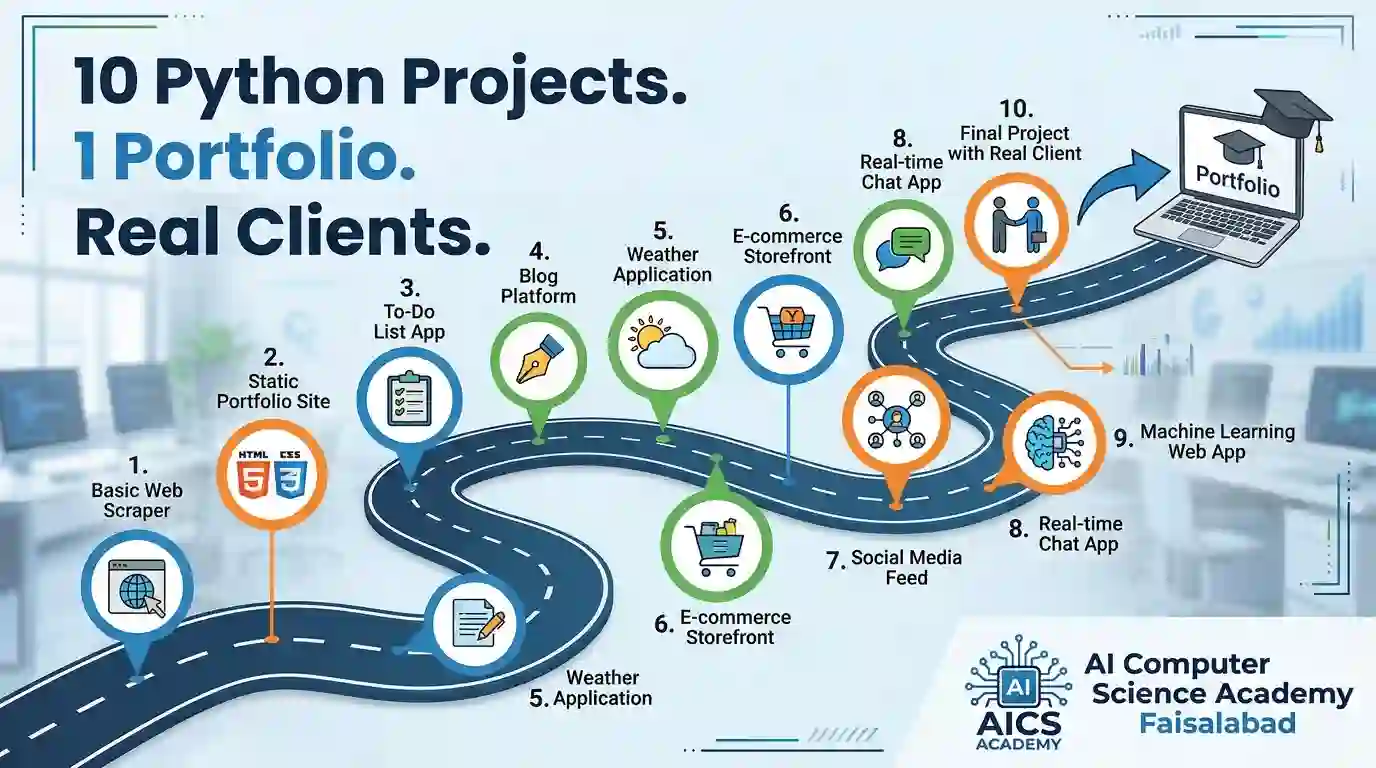
Employers and clients don’t hire certificates, they hire proof. This guide shows 10 Python web projects, from a to-do app to an AI chatbot site, that build a portfolio, teach real skills and help you earn in dollars.
Table of contents
Table of Contents
You finished a Python course. You have a certificate. Then a client asks, “Can I see something you built?” and you have nothing to show.
This is the most common reason beginners struggle to get hired or paid. In 2027, projects are your proof. This guide gives you 10 Python web projects in a sensible order, explains what each one teaches, and shows how to turn them into a portfolio that opens doors.
Why Projects Matter More Than Certificates
Hiring has shifted toward skills-based evaluation. Employers and freelance clients want to know what you can build and whether it works.
“Simple is better than complex.”
— The Zen of Python, Tim Peters
That line is a good guide for choosing projects: start simple, finish them, then add complexity.
The Numbers Behind Python Web Development
Stack Overflow’s 2025 Developer Survey found Python’s usage rose about 7 percentage points in a year, the biggest jump among major languages.
The same survey found around 84% of developers use or plan to use AI tools.
The World Economic Forum expects 39% of core job skills to change by 2030.
Pakistan’s IT and IT-enabled services exports have passed $3.8 billion in a year, with freelancers a growing share.
Python is popular because one language covers websites, databases, automation and AI.
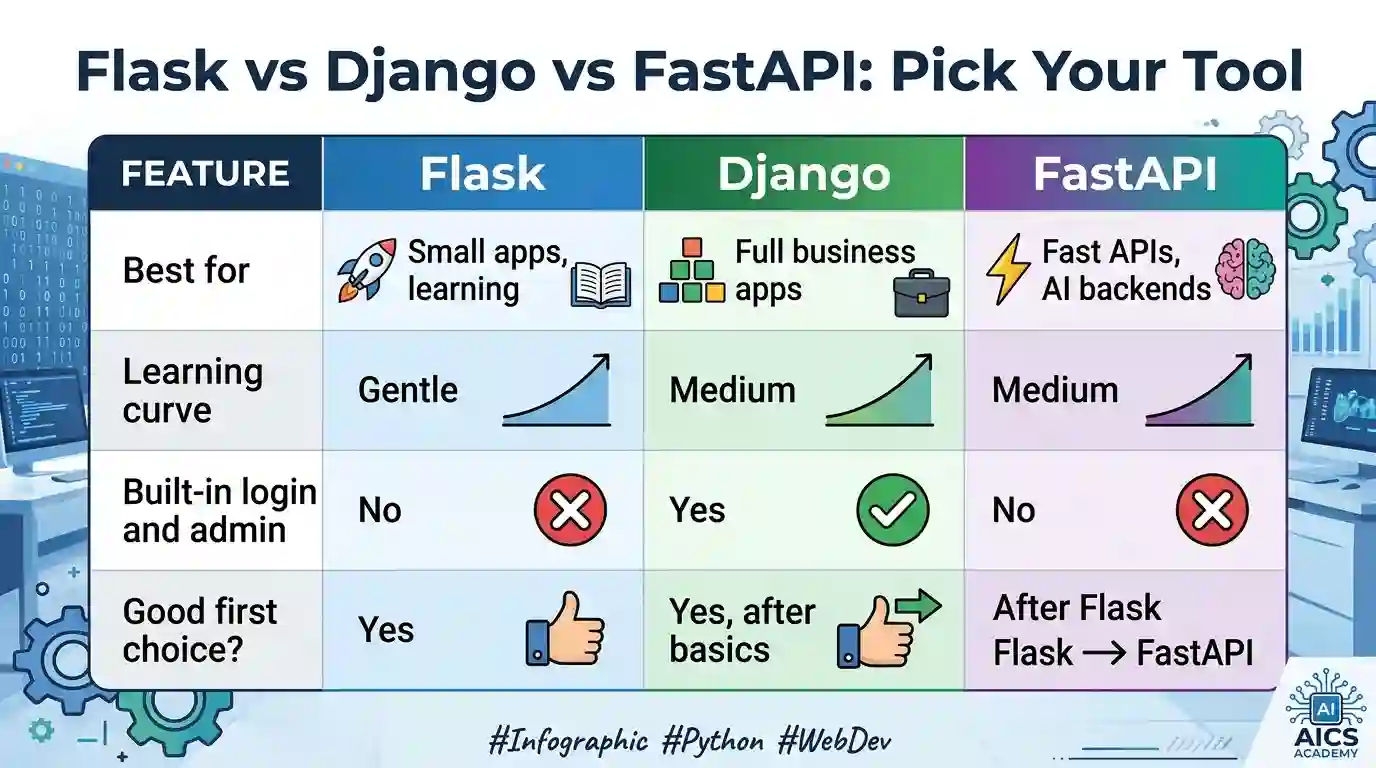
Flask vs Django vs FastAPI: Pick Your Tool
The 10 Projects
Level 1: Foundations (Flask)
1. Personal portfolio website
Pages for About, Projects and Contact, using templates.
You learn: routes, templates, HTML and CSS.
2. To-do list app
Add, edit, delete and complete tasks, saved in a database.
You learn: forms, CRUD and SQLite.
3. Fee and marks calculator
A web tool for students or teachers that calculates grades or fees.
You learn: handling user input and validation.
Level 2: Real Business Apps (Django)
4. Student management portal
Student records, courses, fees and a login for staff.
You learn: models, admin panel and authentication.
5. Clinic or salon booking system
Customers choose a slot, and the owner sees a daily schedule.
You learn: relationships between data and date handling.
6. Inventory and POS dashboard
Products, stock levels, sales and simple reports. Many shops and pharmacies still use paper for this.
You learn: business logic and reporting.
Level 3: Job-Ready (APIs and AI)
7. REST API for a mobile app
A backend that serves data as JSON.
You learn: Django REST Framework or FastAPI, and API testing.
8. Blog with SEO features
Categories, slugs, meta titles and a sitemap.
You learn: SEO basics that clients value.
9. AI chatbot website
A site where visitors ask questions and an AI model answers using your business data.
You learn: API integration and prompt design.
10. Capstone: deployed client-style project
Pick one niche, such as schools, restaurants or textile traders, and build a complete system, deploy it and write a case study.
You learn: deployment, Git and communication.
How to Present Each Project
A project without presentation is easy to ignore. For every project, include:
A GitHub repository with a clear README.
A live link or a short screen recording.
A 3-line case study: the problem, what you built, what you learned.
Screenshots of the main screens.
Ten polished minutes spent on presentation can matter more than another ten hours of code.
Your 90-Day Plan
Days 1 to 30: Python and web basics
Practise daily in the free online compiler.
Build projects 1 to 3.
Goal: three working Flask apps on GitHub.
Days 31 to 60: Django business apps
Build projects 4 to 6.
Goal: three database-driven apps and a portfolio page.
Days 61 to 90: APIs, AI and deployment
Build projects 7 to 9, then deploy your capstone.
Create a freelancer profile and write five gig descriptions.
Goal: one live capstone and your first paid conversation.
How to Use AI Without Weakening Your Skills
Try first. Struggle for 10 minutes before asking.
Ask for explanations, not full solutions.
Re-type code instead of pasting it.
Test everything. AI writes confident mistakes.
Protect secrets. Never paste passwords or API keys into AI tools.
“A compiler tells you it runs. A teacher tells you it’s good.”
— AI Computer Science Academy
Common Mistakes to Avoid
Starting ten projects and finishing none. One finished project beats five abandoned ones.
Cloning tutorials without changes. Add your own feature to every project.
Skipping security. Keep secret keys out of GitHub and always validate user input.
No README. Nobody will read code they can’t understand.
Learning alone. A teacher who reviews your code shows you what you can’t see.
How These Projects Turn Into Income
Custom apps for local shops, schools and clinics.
Dashboards that replace Excel and paper registers.
API development for startups.
AI chatbot add-ons for existing websites.
Monthly maintenance retainers for clients you have already built for.
Income depends on effort, portfolio quality and consistent outreach, so treat any earning figure as a possibility, not a promise.
Frequently Asked Questions
Which project should I build first?
Start with the portfolio website, then the to-do app. Both are small and teach the full cycle.
Do I need Django, Flask and FastAPI all together?
No. Start with Flask, then learn Django. Add FastAPI later for AI and API work.
Can I get a job with only projects and no degree?
Many employers and clients value a strong portfolio. Results depend on your skills, projects and outreach.
Can I learn while working full time?
Yes. Evening and weekend batches are designed for this.
Can I practise without installing Python?
Yes. The free online compiler runs Python in your browser.
Final Thoughts: Build to Be Believed
Anyone can say “I know Python.” Few can say “Here is the clinic booking system I built, and here is the link.” Pick one project, finish it this week, and post it on GitHub.
Ready to begin?
👉 Join the Python Web Development course at AI Computer Science Academy, Faisalabad
👉 Book a free counselling call to choose your path